

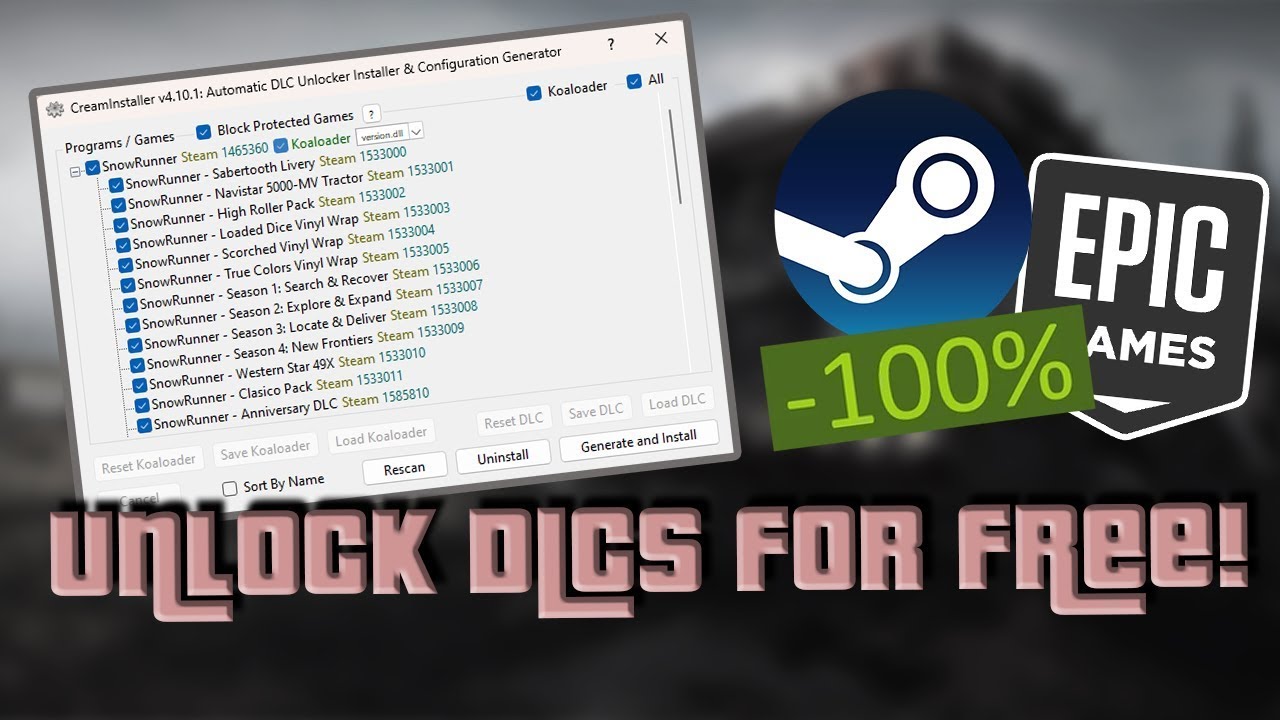
Gaming mods and unlock tools have become increasingly popular among PC gamers who want to customize their experience or access additional game content. One tool that often appears in online discussions is CreamInstaller. Many users search for it because they are curious about how it works and why it is connected with downloadable content, commonly known as DLC.
CreamInstaller is a utility designed to automate the setup process for certain DLC unlock methods in PC games. It is mainly associated with Steam games and is often discussed in modding communities. The tool simplifies tasks that would otherwise require manual file editing and configuration changes. While many people use it for experimentation and learning purposes, it is important to understand both its technical operation and the legal concerns surrounding it.
Understanding how CreamInstaller works requires basic knowledge of Steam games, DLC systems, and game licensing methods. This article explains the working process of CreamInstaller in simple English so beginners can understand it more easily.
What Is CreamInstaller?
CreamInstaller is a program that automates the installation of DLC unlock configurations for supported games. It is related to a project commonly called CreamAPI, which is a Steam API modification tool. Instead of editing files manually, CreamInstaller scans installed games and applies the necessary configurations automatically.
The software is mainly used on Windows PCs and is designed to detect Steam libraries and supported game folders. Once it identifies a compatible game, it can install or configure the required files with just a few clicks.
The main purpose of CreamInstaller is convenience. Without it, users would need to manually place DLL files, edit configuration documents, and understand how Steam API replacements function. CreamInstaller handles these steps automatically.
Understanding How DLC Works in Steam Games
To understand CreamInstaller, it helps to first know how DLC systems work in Steam games.
Many Steam games include DLC data inside the base game installation. Sometimes the files are already present on the user’s computer, but access to them remains locked until Steam verifies ownership. Steam performs this check through its API system.
When a player launches a game, the game communicates with Steam and asks whether the account owns certain DLC packages. If Steam confirms ownership, the content becomes available inside the game.
This means that in some games, the DLC files already exist locally. The only thing preventing access is the ownership verification process.
CreamInstaller works by changing how the game interacts with Steam’s API system.
How CreamInstaller Operates
CreamInstaller automates the setup process that modifies DLC verification behavior. It usually follows several technical steps during operation.
First, the program scans the user’s Steam library. It searches for installed games and attempts to identify compatible titles. Once a game is selected, the software checks its files and determines where modifications need to be applied.
Next, CreamInstaller places modified API files into the game directory. These files are often DLL files that replace or redirect certain Steam functions. The modified files can intercept DLC ownership checks made by the game.
After that, configuration files are generated or edited automatically. These files contain information about available DLC packages, IDs, and activation settings. The installer may also create backup copies of original files before making changes.
When the game launches, it reads the modified API setup instead of relying entirely on the original Steam verification process. As a result, some games may behave as though all DLC content is owned by the user.
The exact process can vary depending on the game engine, Steam protection method, and the version of the tool being used.
Why CreamInstaller Is Popular
One reason CreamInstaller became popular is its simplicity. Manual DLC unlock methods can be confusing for beginners because they involve technical file editing and understanding Steam’s internal structure.
CreamInstaller provides a graphical interface that makes the process easier. Users can often select a game, click install, and let the software handle everything automatically.
Another reason is that some players use it to test DLC before deciding whether to purchase it officially. Others use it in offline environments for experimentation or modding purposes.
The automation aspect saves time and reduces the chance of configuration mistakes that could prevent a game from launching correctly.
Game Compatibility
Not every Steam game works with CreamInstaller. Compatibility depends on how the game handles DLC verification.
Some games store DLC entirely on external servers, meaning no local unlock method can access the content. Online multiplayer games often use server-side verification systems that cannot be bypassed with local file changes.
Single-player games are generally more likely to work because many of them include DLC files directly in the installation folder. In those cases, local ownership checks may be enough to unlock content.
Developers also use different anti-tamper systems and DRM protections. Games protected by advanced systems may block modifications or detect altered files.
Because of these differences, compatibility varies widely between titles.
Risks of Using CreamInstaller
Using tools like CreamInstaller comes with several risks.
One major concern is account safety. Some games or platforms may detect modified files and take action against accounts that violate terms of service. Although results vary, there is always some level of risk involved when altering game files.
Another issue is malware. Since CreamInstaller is commonly shared through unofficial websites and forums, users sometimes download fake versions containing harmful software. These malicious files can steal personal information, install viruses, or damage the computer.
Stability problems are also possible. Incorrect configurations may cause crashes, launch errors, or corrupted game files. Some updates from Steam can break compatibility and require reinstalling original files.
There are also ethical and legal concerns. DLC is paid content created by developers, artists, and studios. Unlocking paid content without purchasing it may violate copyright laws and platform policies in many regions.
Difference Between CreamInstaller and CreamAPI
People often confuse CreamInstaller with CreamAPI, but they are not exactly the same.
CreamAPI is the actual API modification method used for DLC unlocking. It involves DLL replacements and configuration files that affect Steam ownership checks.
CreamInstaller is more like a helper tool that automates the installation and setup of CreamAPI-related files. Instead of manually configuring everything, users rely on the installer to complete the process automatically.
In simple terms, CreamAPI is the core method, while CreamInstaller is the automation tool built around it.
Can CreamInstaller Affect Online Games?
Online games are much more difficult to modify successfully because servers often verify ownership independently from the local computer.
Even if local DLC checks are bypassed, online servers may still reject locked content or prevent access entirely. Competitive multiplayer games also tend to use stronger anti-cheat and anti-tamper systems.
Because of this, CreamInstaller is generally discussed more in relation to offline or single-player games rather than live online services.
Final Thoughts
CreamInstaller is a tool designed to automate DLC unlock configuration processes for certain Steam games. It works by modifying how games interact with Steam’s ownership verification system, mainly through API replacements and edited configuration files.
Its popularity comes from its simplicity and automation features, especially compared to manual setup methods. However, compatibility varies depending on the game, DRM protection, and whether DLC files are stored locally or online.
While some users view CreamInstaller as a technical experiment or convenience tool, it also raises important legal, ethical, and security concerns. Anyone researching such software should understand the risks involved, including possible account penalties, malware threats, and copyright issues.
Learning how CreamInstaller works can help users better understand Steam’s DLC systems and how game verification mechanisms operate behind the scenes.
